


Introduction to Cloud Computing and Its Benefits
Welcome to the fascinating world of Cloud Computing! In this blog, we will embark on an exciting journey to uncover the magic behind cloud computing and introduce you to the incredible realm of Amazon Web Services (AWS). Prepare to be amazed as we demystify the concept and explore how it can benefit people of all ages!
Cloud Computing: A Technological Marvel Simplified
Cloud computing is like having your data stored and accessed over the internet instead of on your physical devices. It offers many benefits, such as easy access to your files from anywhere and the ability to scale your resources as needed. It's like having a magical genie that takes care of your data for you.
Not only the data you can spin up a virtual machine(nothing but a Computer that is not present physically) to make it act like a host to your application.
Meet AWS: Your Gateway to the Cloud
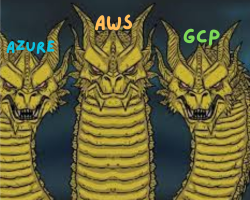
There are many cloud computing service providers which include Microsoft's Azure, Amazon's AWS, Google's GCP and many more but AWS is a popular cloud service provider that offers a wide range of tools and services.
It's like a magical door that opens up the world of cloud computing.
We'll explore some of the key services offered by AWS and see how they can help you achieve your goals in the cloud.
Setting Up Your AWS Account: Your Ticket to the Cloud
Before exploring the services, We need an AWS account to get our hands dirty with the cloud.
Click the link below to get a free account:
Note: You may require the credit or debit card for verification. Don't worry the amount will not be debited from your card.
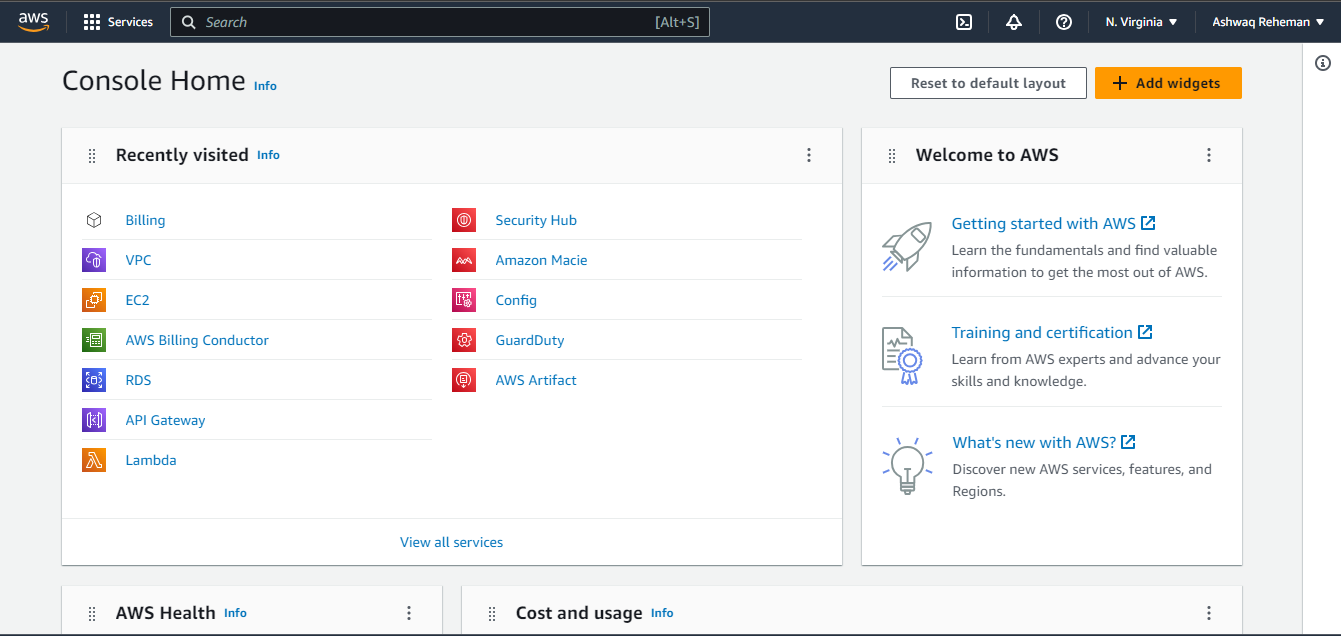
This above is the console where you can manage your cloud resources and make changes as needed. It's like having a control panel for your cloud adventures.
Unveiling AWS Services: Powers for Your Cloud Adventures
AWS Provides various services that have unique capabilities. Let's discuss some of the popular AWS services
EC2 is a service that allows you to create virtual servers in the cloud
S3 provides storage for your files
RDS offers managed databases
Each service has its own special powers that can make your cloud adventures even more exciting and convenient.
To get our Hands dirty, I will guide you in creating our first EC2 instance at the end of this blog.
Understanding Regions, Availability Zones, and VPCs
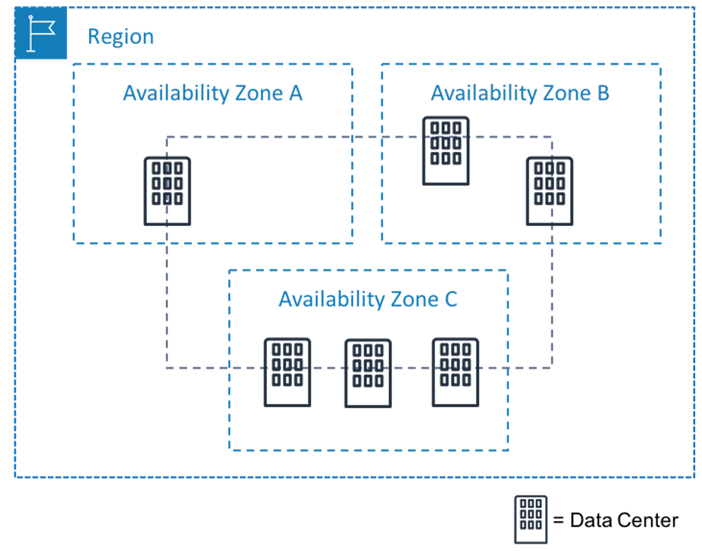
Regions: Think of regions as different geographical areas where Amazon Web Services (AWS) has data centers. Each region is like a separate magical land that houses the infrastructure for running cloud services. For example, there's a region in the United States, one in Europe, one in Asia, and so on. AWS operates multiple regions around the world to ensure that services are available closer to users and to provide redundancy.
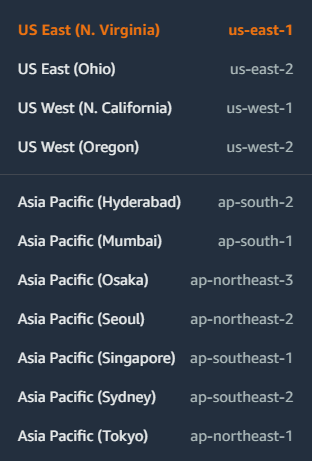
The above are some of the regions in AWS
Availability Zones (AZs): Within each region, there are multiple availability zones. You can think of an availability zone as a fortress within a region. These zones are physically separate from each other and have their own power supply and network infrastructure. They are designed to provide fault tolerance and resilience. So, even if something happens in one availability zone, services in other zones within the same region can keep running smoothly.
Think of "US East (N. Virginia)" as a region then its availabity zones are denoted as us-east-1a,us-east-1b,us-east-1c etc...
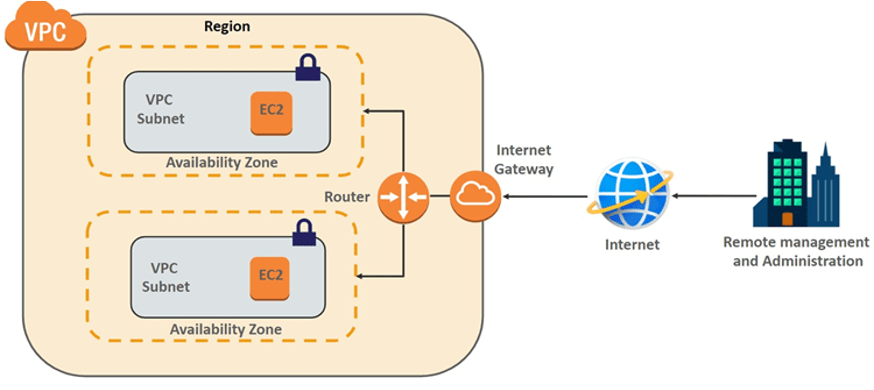
Virtual Private Cloud (VPC): A virtual private cloud is like your own private space within AWS's cloud infrastructure. It allows you to create a virtual network that is isolated and secure, just for your use. It's like having your own secret hideaway. With VPC, you can define your own IP addresses, subnets, and routing rules. It helps you control and secure your cloud resources, providing a boundary for your applications and data.
Hands-On Tutorial: Creating Your First EC2 Instance
In this tutorial, I'll guide you through the process of creating your first EC2 instance. An EC2 instance is a virtual server in the cloud that you can use for various purposes. I'll show you step-by-step how to choose the right settings and launch your instance. It's like creating a virtual computer that you can access from anywhere.
Open your AWS Management Console and search for EC2
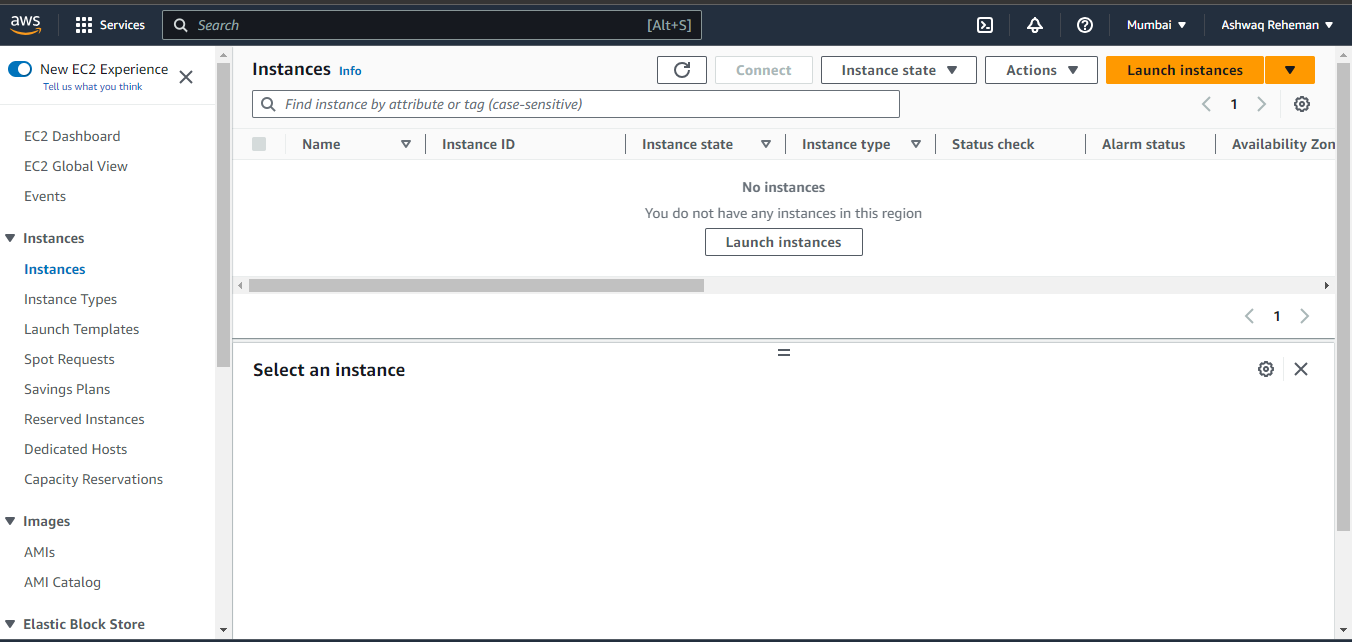
You will getting an interface like this, click on Launch Instance
Set the Configurations to your EC2 instance
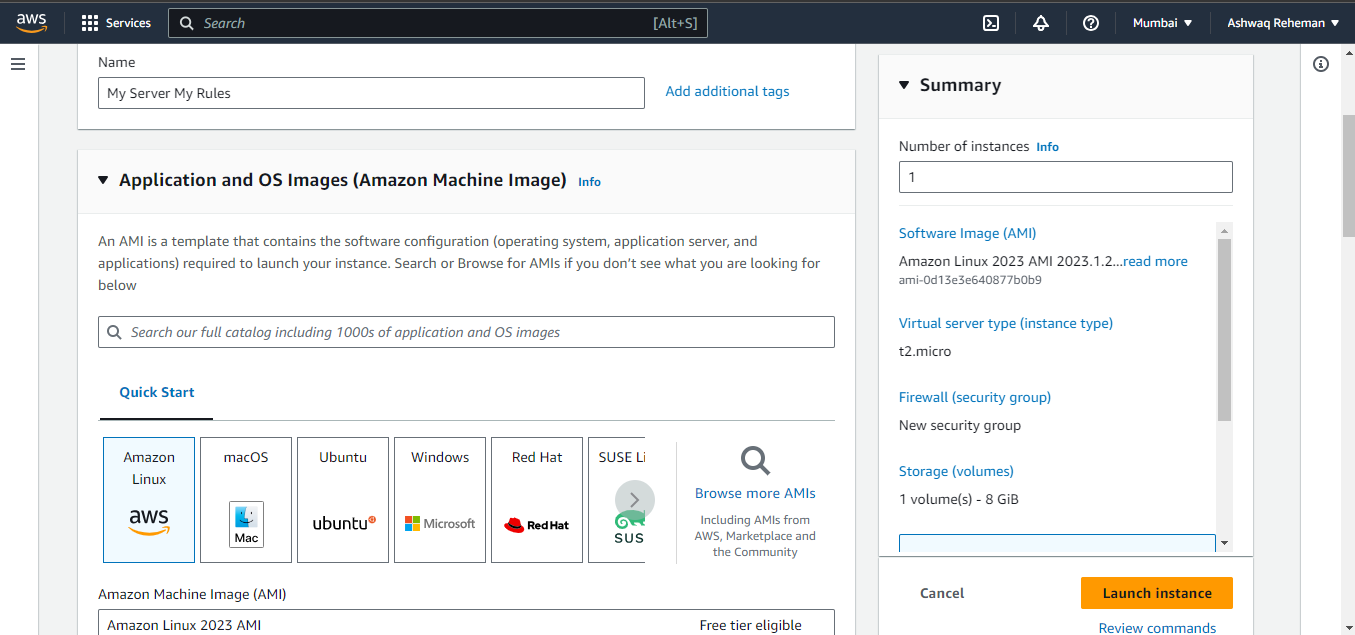
Give some good name to your machine (Not like the one I've given to my machine :-D)
Choose an Amazon Machine Image(AMI) which is a pre-configured template that contains the necessary software, operating system, and configurations to launch an instance.
I am choosing the Amazon Linux you can choose any AMI. There are many OS Images like Windows,CentOS,MacOS and more... (Make sure that they are eligible for free tier)
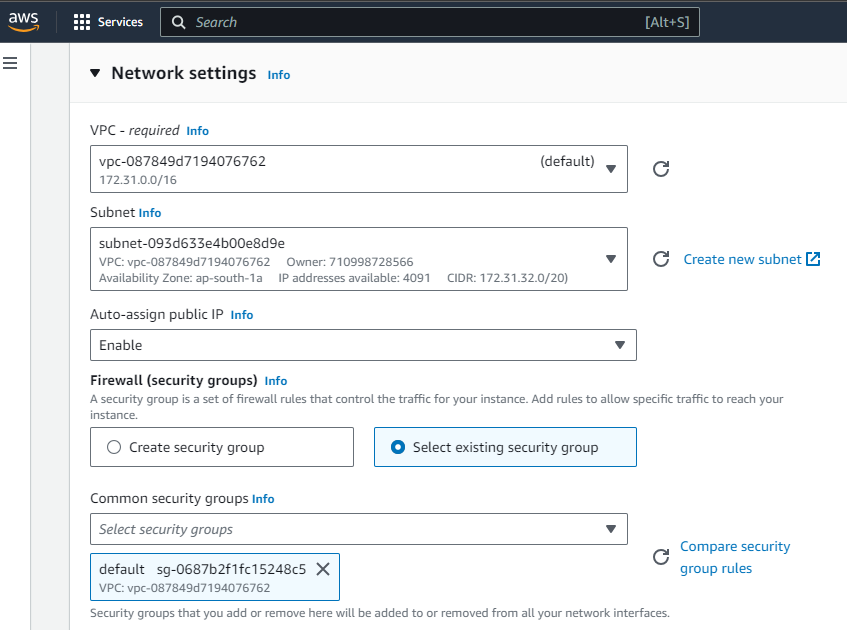
Keep the Network settings as default. If there no default VPC,Subnet and Security Groups, Just click on create.
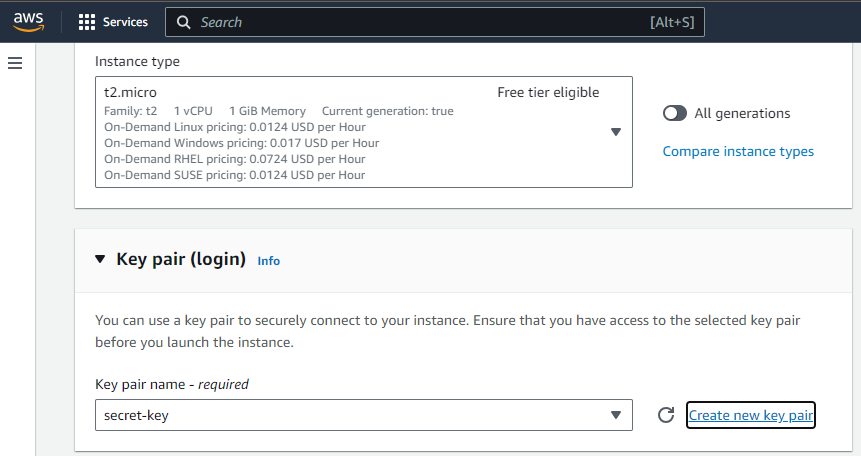
Select the Instance Type as t2.micro or any free tier eligible instance. I suggest you to choose t2.micro.
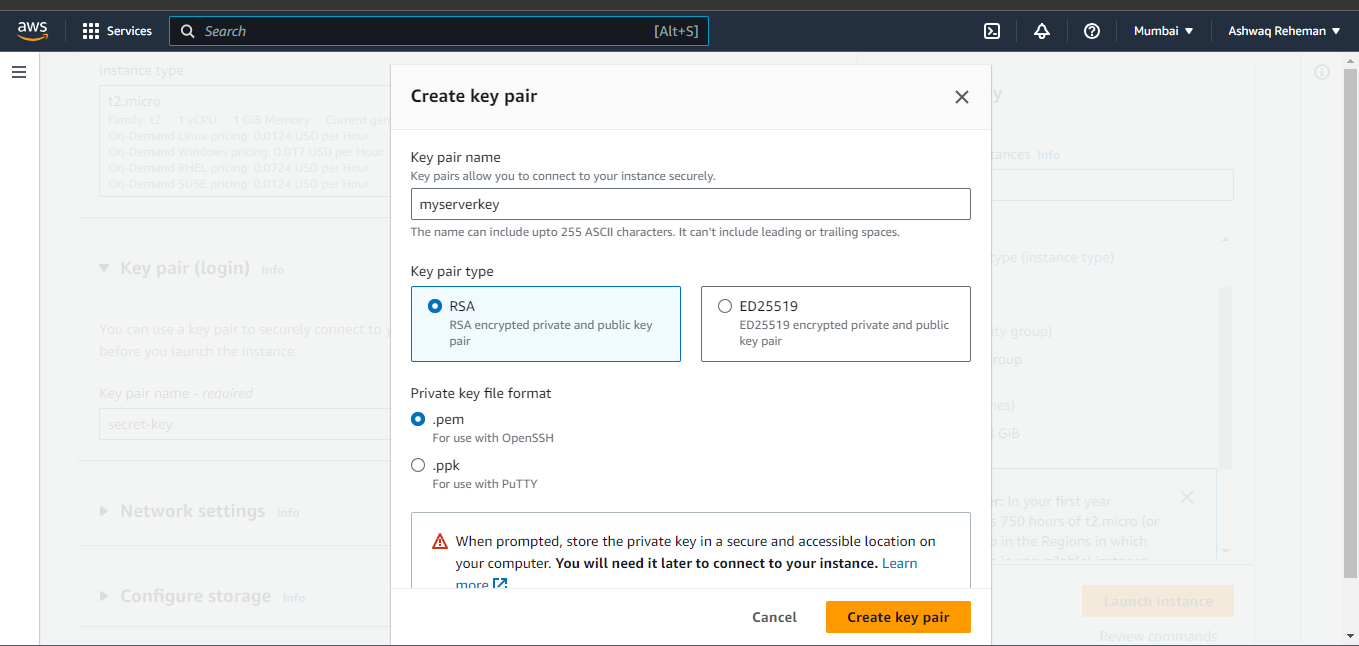
- Create a Key pair for your machine.
In AWS, a key pair is used for secure remote access to EC2 instances. The public key is stored on the instance and used for encryption, while the private key is kept securely by the user and used for decryption and authentication. It ensures secure communication and authentication between the user and the EC2 instance.
Launching an Instance
Keep all remaining settings as default and click on Launch Instance
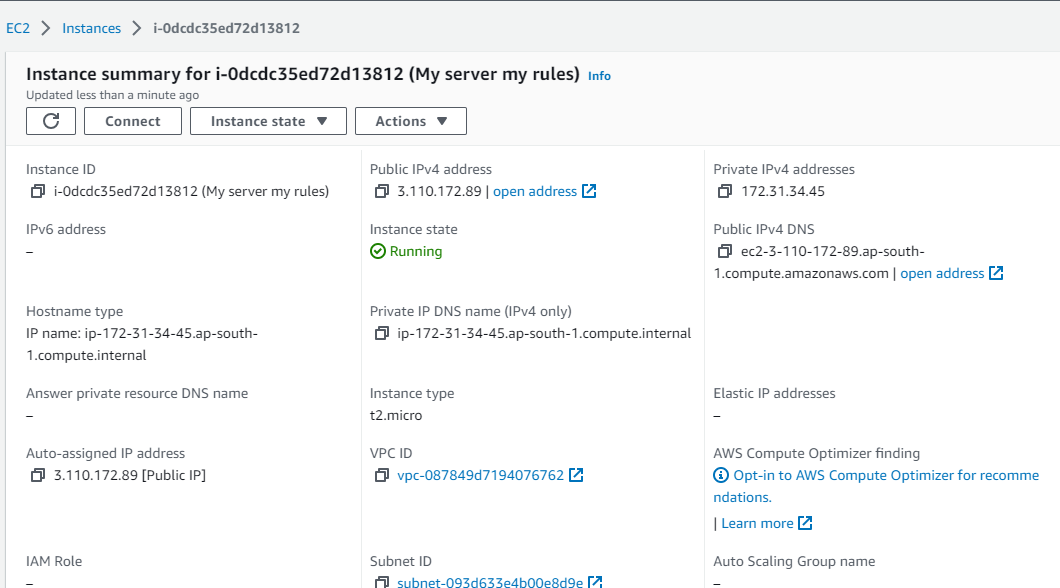
Finally! you have created your own machine in the cloud and the final step is to connect and interact with it.
Let's Go!
Connecting with the Instance
Click on Connect, you'll be getting the options to connect with your instance
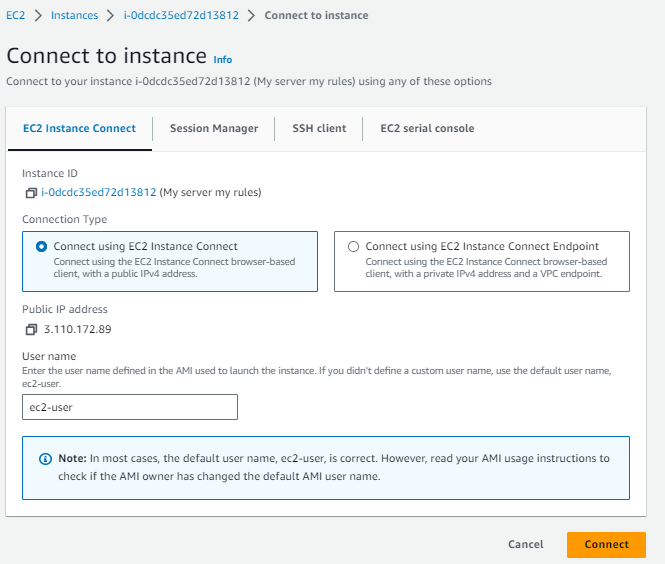
You can choose EC2 Instance Connect ( If you have chosen Windows OS Image you'll be getting the RDP connection option) and click on Connect
Boom! You are successfully connected to it and now you can interact with that ec2 instance to host your web applications and many more to get your things done efficiently.
Wrap Up
Congratulations on your journey into the world of cloud computing! We've explored the magic of cloud computing, introduced you to AWS, and delved into key services and concepts. By setting up your AWS account and creating an EC2 instance, you've unlocked the potential of the cloud and opened doors to exciting possibilities.
Note: Terminate your EC2 instance by selecting under the dropdown menu of actions otherwise you have to pay the bill :D
Remember, cloud computing is accessible to everyone, regardless of age or technical background. Embrace the convenience and flexibility of floating data in the sky. Now, go forth and explore the wonders of cloud computing with AWS as your guide!
If you enjoyed this article, remember to follow me on Twitter, where I share daily updates. And feel free to connect with me on LinkedIn.


